
Plan Options & Prices
Compare Our PlansBasic Service: $125 per year | Premium Service: $240 per year | NO Additional Fees!!
Click a feature to open for details. Click again to close.


BASIC: $125 per yr. PREMIUM: $240 per yr.
BOOKING ENGINE DISPLAYS
Works With ALL Website Platforms
The Availability Online Booking engine is compatible with all website platforms, incuded WordPress, SquareSpace, Wix, GoDaddy, traditional html sites, and others.
Your booking engine link can also be added into your email campaigns, and as a call-to-action button in Facebook.
Traditional Calendar Display
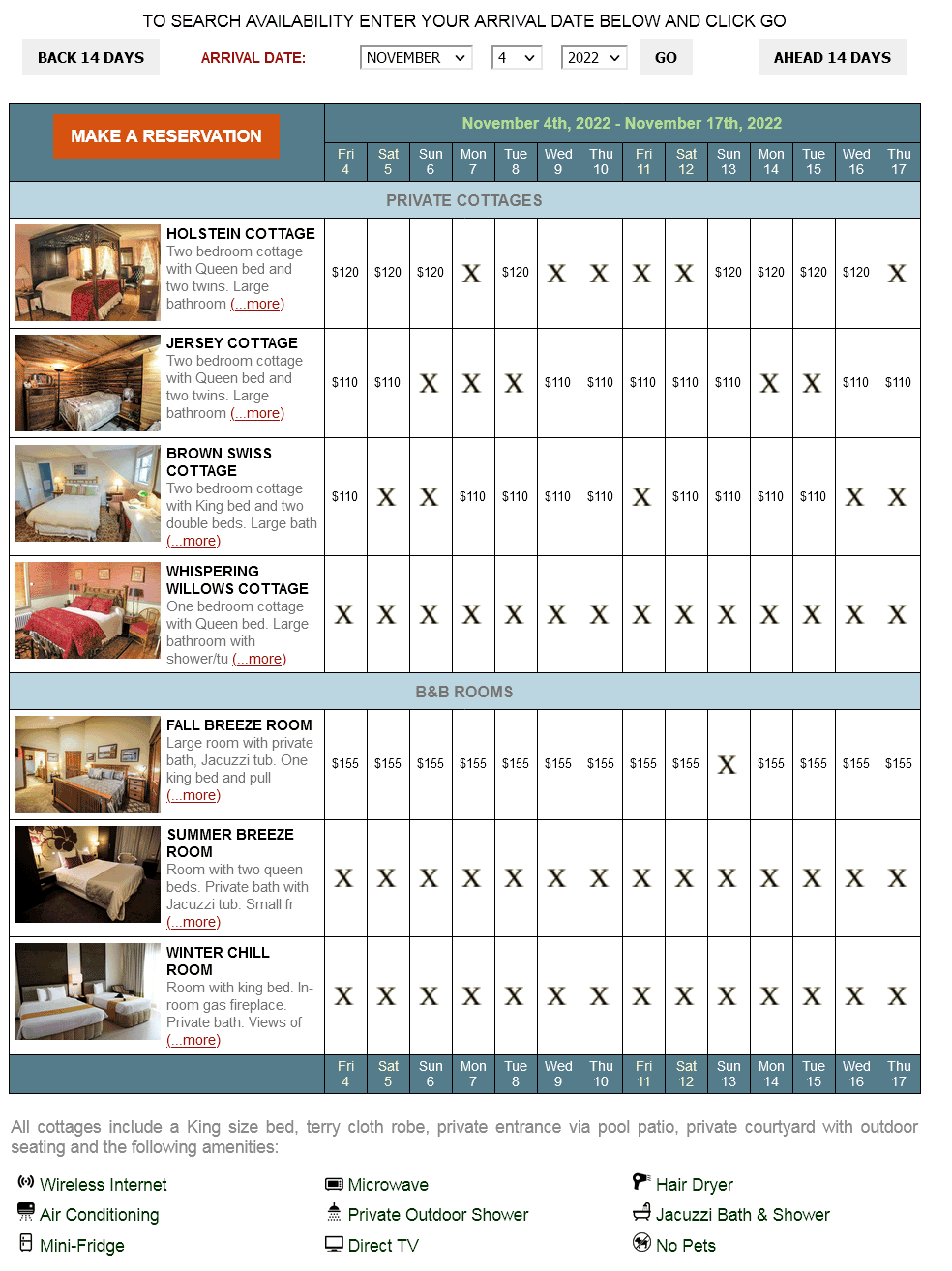 The traditional display calendars shows 2-weeks of availability at a time, but gives the guest the ability to search up to 2 years in the future.
The two-week calendar is an effective tool for your website that helps guests see your vacancy information at all times
Room rates and links to your website's room pages can be easily added to this availability display.
Availability Search Display
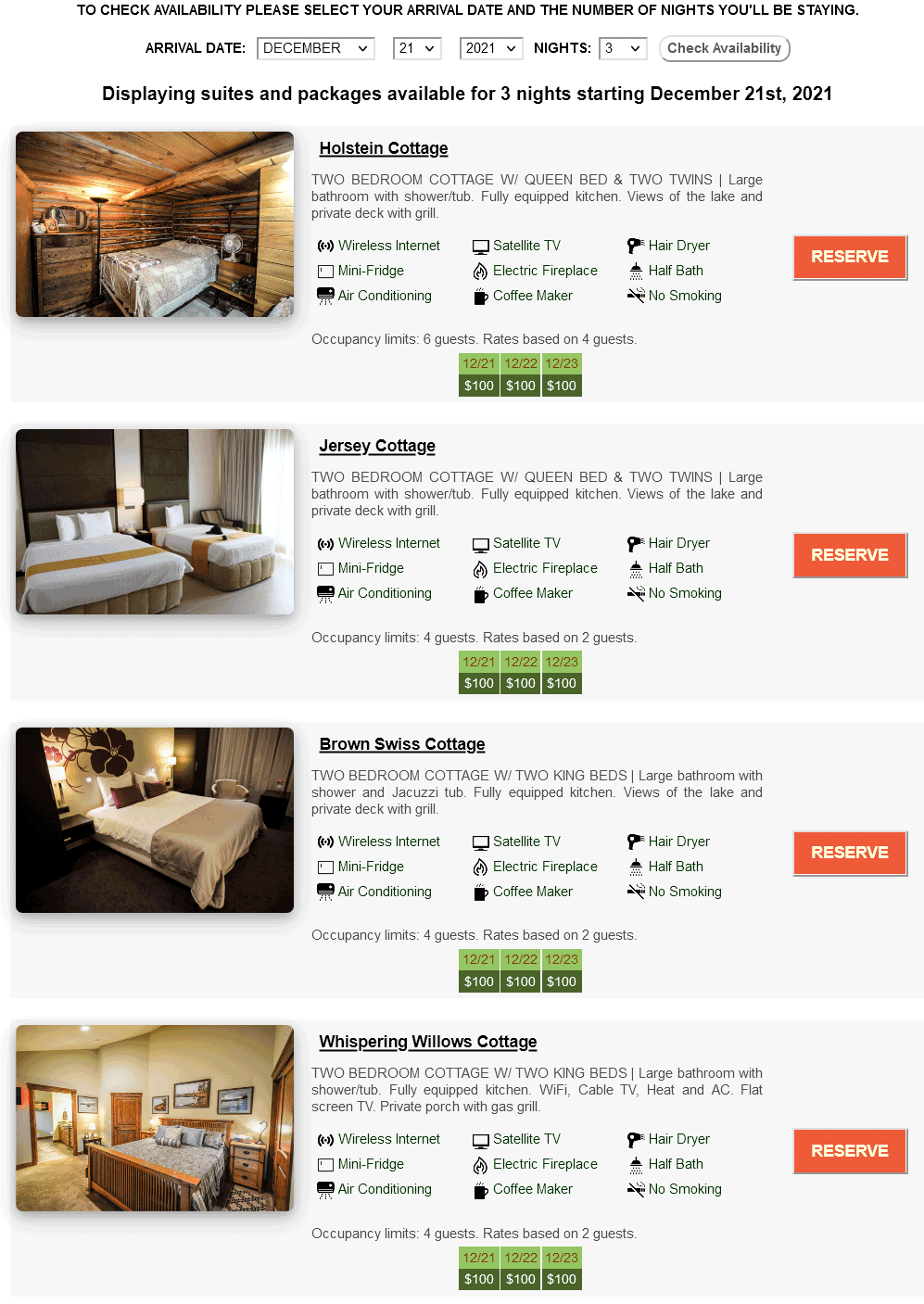 The Search & Display availability page shows your guests only rooms available for the dates searched.
This display option has the ability to show descriptions, rates, links to your website's room pages and photos for each room.
ADA Accessibility
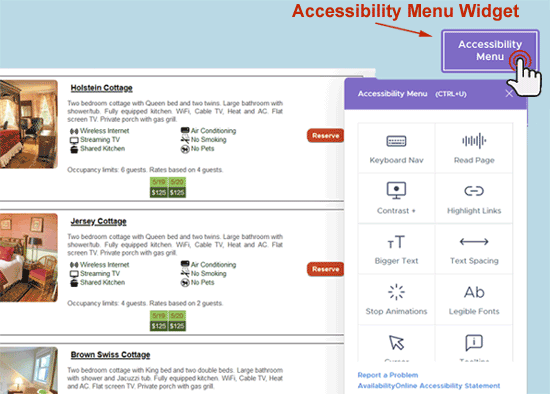 All Availability Online booking engine pages include an accessibility widget.
The widget contains several accessibility tools to make the pages easier to use for those who need audio and visual assistance.
All Availability Online booking engine pages include an accessibility widget.
The widget contains several accessibility tools to make the pages easier to use for those who need audio and visual assistance.Standard Visual Settings
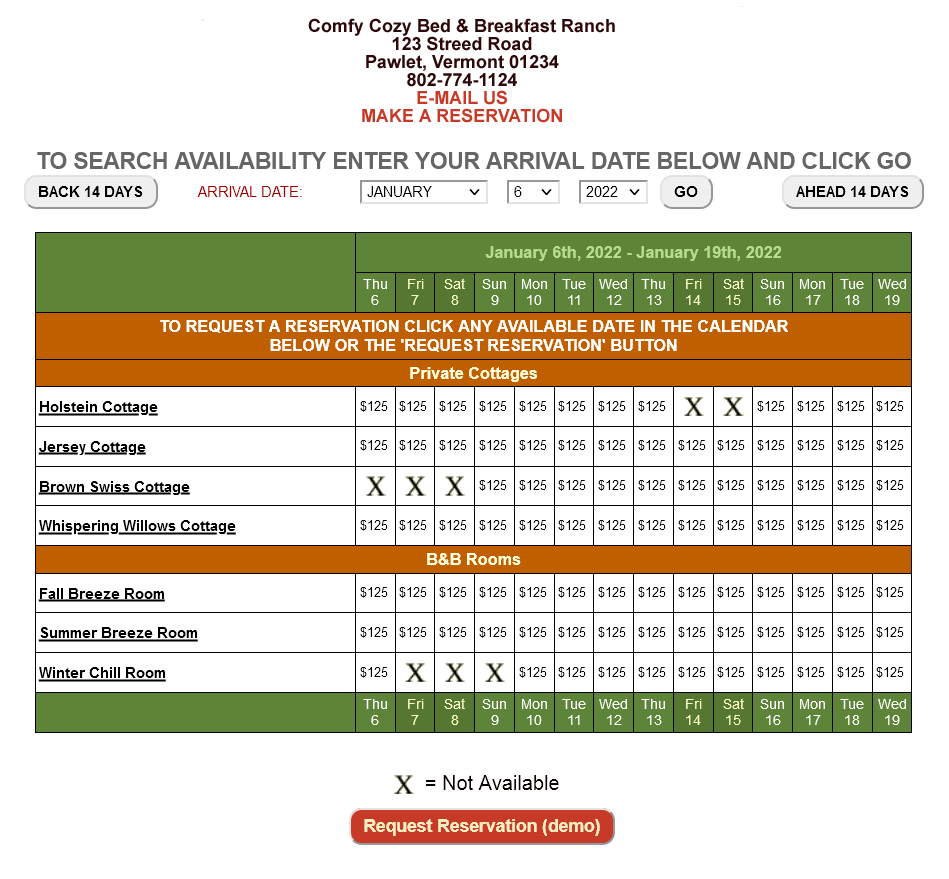 What the typical Basic Subscription availability calendar would look like. Change your availability display's chart, background & text colors to match the look of your website.
 Choose from over 50 no-vacancy graphics to show which rooms are booked on your calendar.
Monthly Availability Calendars
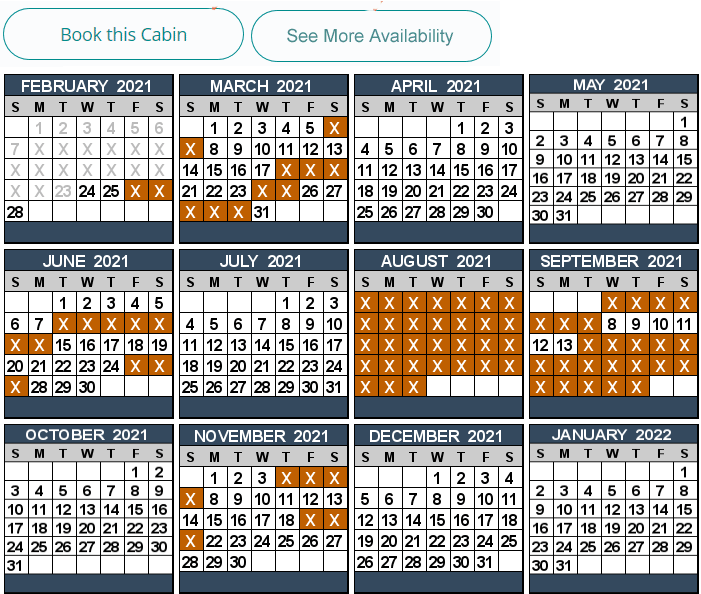
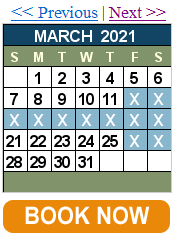 Place monthly calendars anywhere on your website to display availability for each month.
Show multiple(1-24) months of availability or use the single calendar allowing guests to click to view future months.
Monthly graphic calendars can show availability for a single room(s) or your entire property.
These calendar displays are ideal for vacation rental properties. B&B's also love to use these calendars on their website's individual room pages.
Enhanced Visual Settings
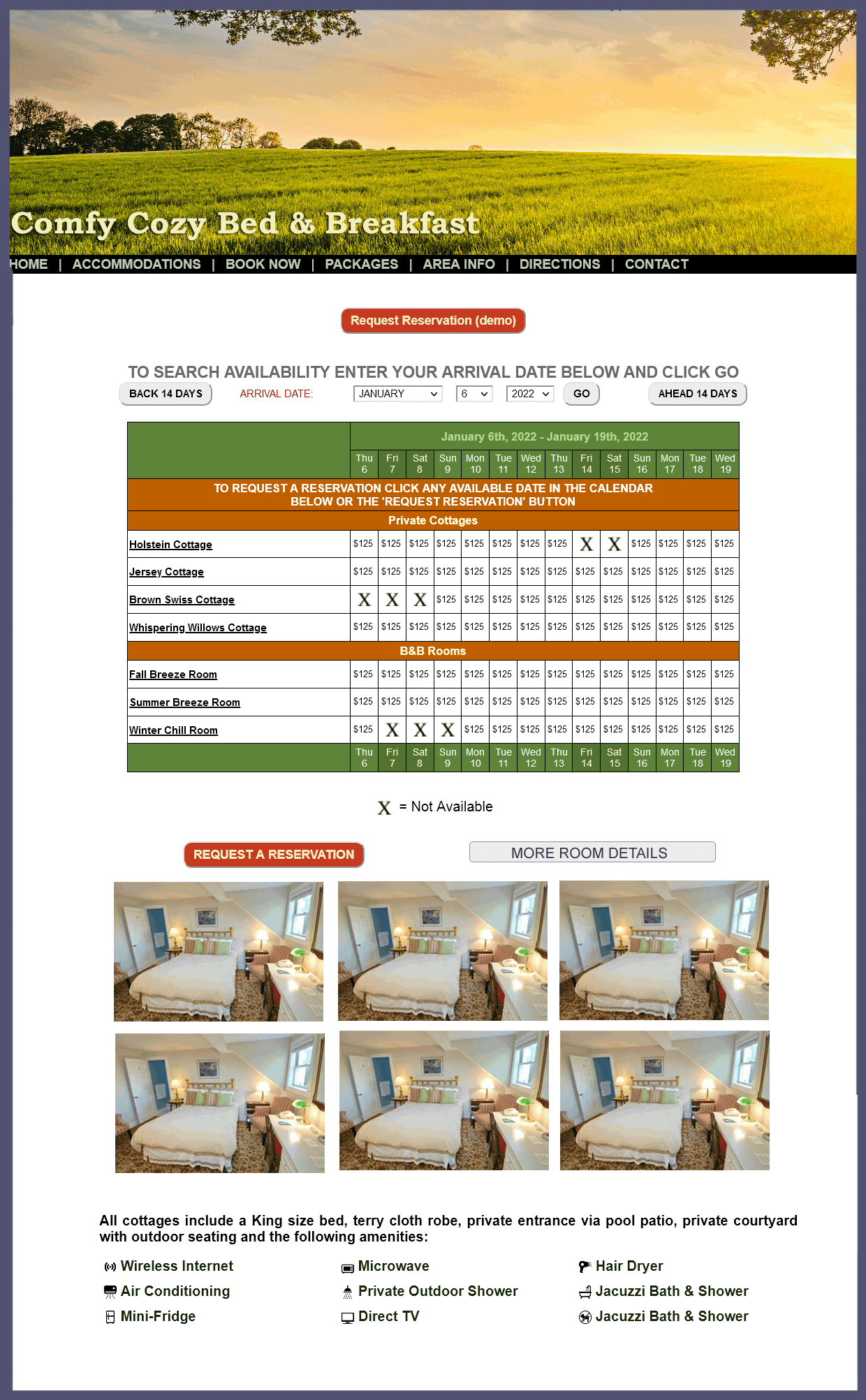 Fully customize your availability display to seamlessly match your website's navigation links, logos and color schemes.
Customize your reservation form with your logo and custom colors and font settings.
If you're not an expert in web design, don't worry. We'll customize everything for you at no cost!
Individual Room Availability Display
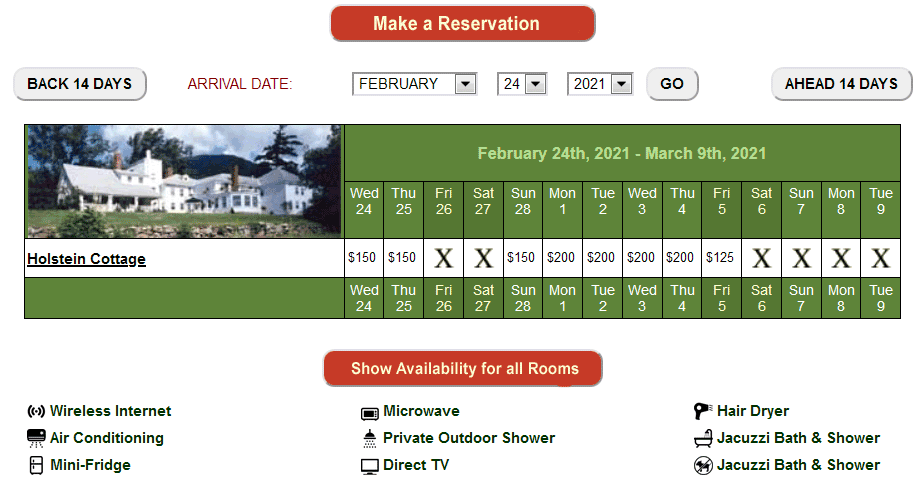 Show an entire availability calendar for a single room.
This options gives you all the same features as the full availability calendar, including room links, rate display, custom no-vacancy graphics, min. night stay display requirement, etc.
If you choose, a button can be activated on this calendar which allows guests to view the availability for all your rooms.
Individual room availability can also be shown using our Monthly Calendars.
TAKING RESERVATIONS BASIC PREMIUM
Secure/PCI Compliant Booking from your Website
Calculate Nightly/Seasonal Rates
Choose to display and calculate your nightly rates. Adding nightly rates to your Availability Online account gives you the ability to show your guests how much each room/night is and show a reservation total. Different nightly rates can be applied for each different room and/or date. So you can easily add seasonal, weekend and/or special holiday rates to your account.
Automatic Email & Text Notifications
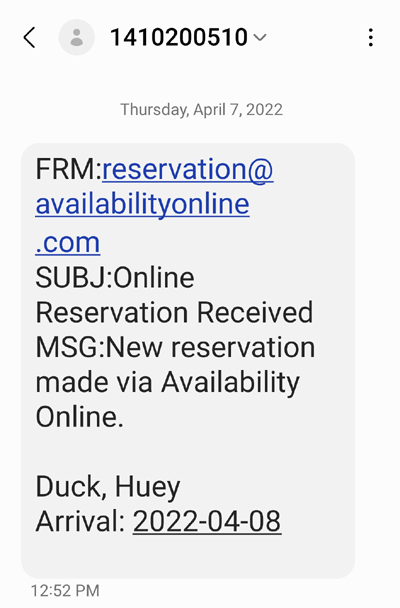 Busy innkeepers can't always sit in front of their computers waiting for new online reservations. Choose to be notified of new reservations via text message.
 The text message system, which can be used in addition to traditional email notification, will alert you of the guest's name and their arrival date. Text messages are not guaranteed with all phone carrier services. Now available to both Basic and Premium subscribers!
Easy Send Email Confirmations
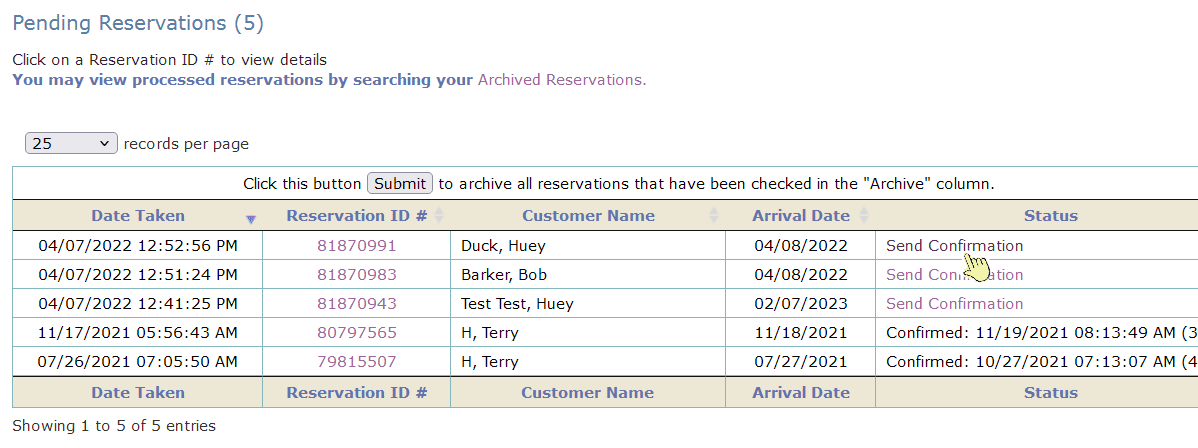 You can send guests a reservation confirmation email from your Availability Online Administration Center (if you choose).
Your guest's reservation information (ie: name, check-in date, cost, etc) will automatically generate in the confirmation email. You can also add custom default text.
You can send guests a reservation confirmation email from your Availability Online Administration Center (if you choose).
Your guest's reservation information (ie: name, check-in date, cost, etc) will automatically generate in the confirmation email. You can also add custom default text.Reservation Policy- Guest Agreement
Require your guests to Agree to your policy information prior to submitting their reservation.
Up-Sell/Reservation Add On Capabilities
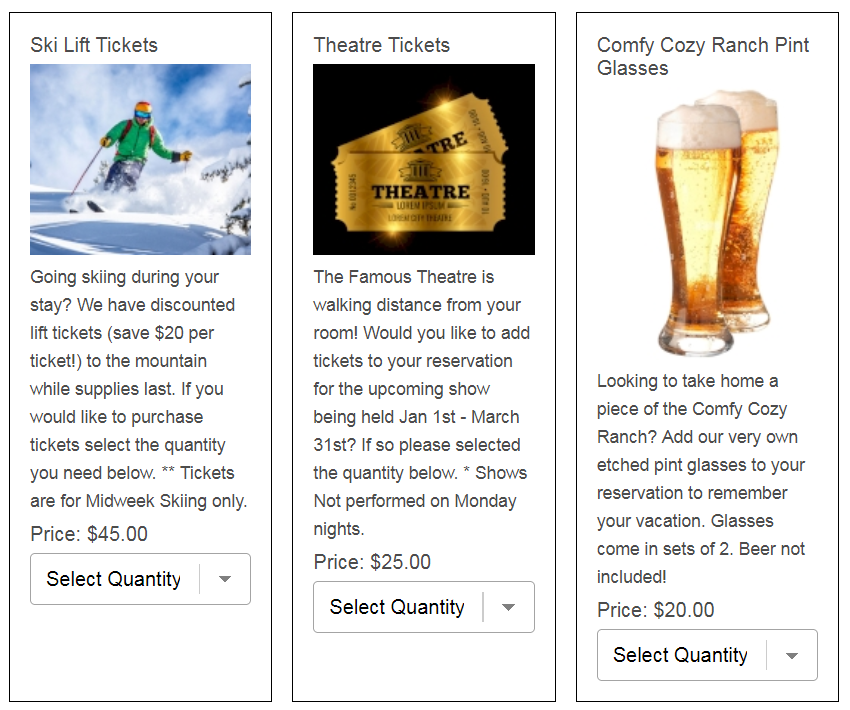 Our secure Reservation Forms allow your guests to purchase individual ala carte items (ie: box of chocolates, spa services, theatre tickets, etc).
This is a great way to up-sell items to increase your revenue and give guests a better vacation experience.
Collect Guest Credit Card/Payment Info
The Availability Online Booking Engine securely collects credit cards. Full payment processing gateway coming the first part of 2025! At this time properties are responsible for processing credit card payment.
Reservation Request Forms
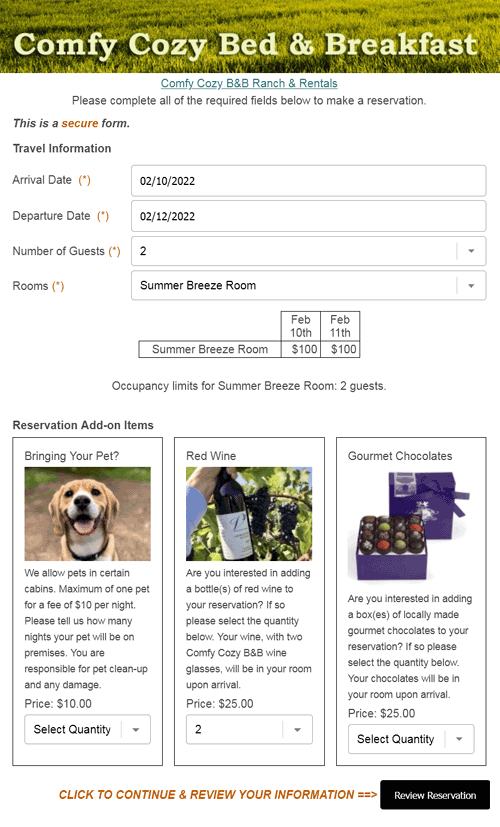 The reservation request form would be used for those who wish to have a more hands-on approach with guests. Guests will expect to hear back from you directly with final confirmation. Guests will automatically receive an emailed copy of their reservation request.
 There are no commissions or extra fees to you or your guests when using our secure reservation request form.
The fields and visual settings on the form can be customized to suit your property's needs.
Availability Online is 100% PCI Compliant so your can securely collect your guest's credit card information (if you choose). Properties are responsible for processing credit card payment.
You instantly receive an email notification (optional text message) when a new reservation request has been submitted. You can choose to block out the reservation request manually from your Administration Center, or you can have our system automatically block out the room/date when the request is submitted.
Properties are responsible for processing credit card payment.
Real-Time Booking Forms
The real-time booking form can immediately and automatically block out the room/date when a reservation is submitted.Guests will automatically receive an emailed copy of their reservation- this can be used as the confirmation, OR you can manually send a more personally and detailed confirmation from your Administration Center.
There are no commissions or extra fees to you or your guests when using our secure booking form.
The fields and visual settings on the form can be customized to suit your property's needs.
Availability Online is 100% PCI Compliant so your can securely collect your guest's credit card information (if you choose). Properties are responsible for processing credit card payment.
You instantly receive an email notification (optional text message) when a new reservation request has been submitted.
Add Custom Questions to Reservation Form
Easily create fully custom questions to ask your guests during the booking process, such as; How did you hear about us?, or Do you have any special dietary requirements?.
Add Taxes to Reservation Total
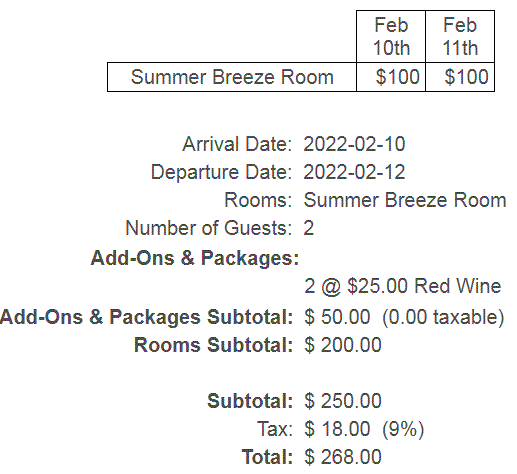 Choose to calculate your state, local, lodging, etc taxes into your reservation subtotal. Your guests will know exactly how much their reservation costs.
Taxes can be applied to the entire reservation or to individual units.
Add Cleaning & Other Fees to Reservation Total
Choose to calculate fees, such as a cleaning or resort fee into your reservation subtotal. Your guests will know exactly how much their reservation costs.
Fees can be applied to the entire reservation or to individual units.
Fees can be applied to the entire reservation or to individual units.
Additional Person Fees
Set your reservation form to calculate additional person fees. You can also choose to calculate a total for under occupancy reservations.
Show Reservation Deposit Amount
Have your reservation form automatically create and show guests the deposit due.
MARKETING FEATURES BASIC PREMIUM
Call-to-Action link for Facebook
We supply you with a simple link for you to add to the Call-to-Action button on your Facebook page.
Download Past Reservations Function
Easily download guest's email addresses for e-mail marketing blasts, or find your online booking revenue history.
Download options include file type, selecting specific fields to be included in your download, and what type of reservation(s) are you looking for, ie: archived reservations, pending reservations or all reservations.
Discounted Website Design Services
Our partner designer, OnnaWebDesign.com, offers Availability Online Booking Engine users a discount on new design costs.
Professionally designed and affordable WordPress sites that are fully responsive and customized to meet your needs. Design Samples/Get Quote
Secure Gift Certificate Order Form
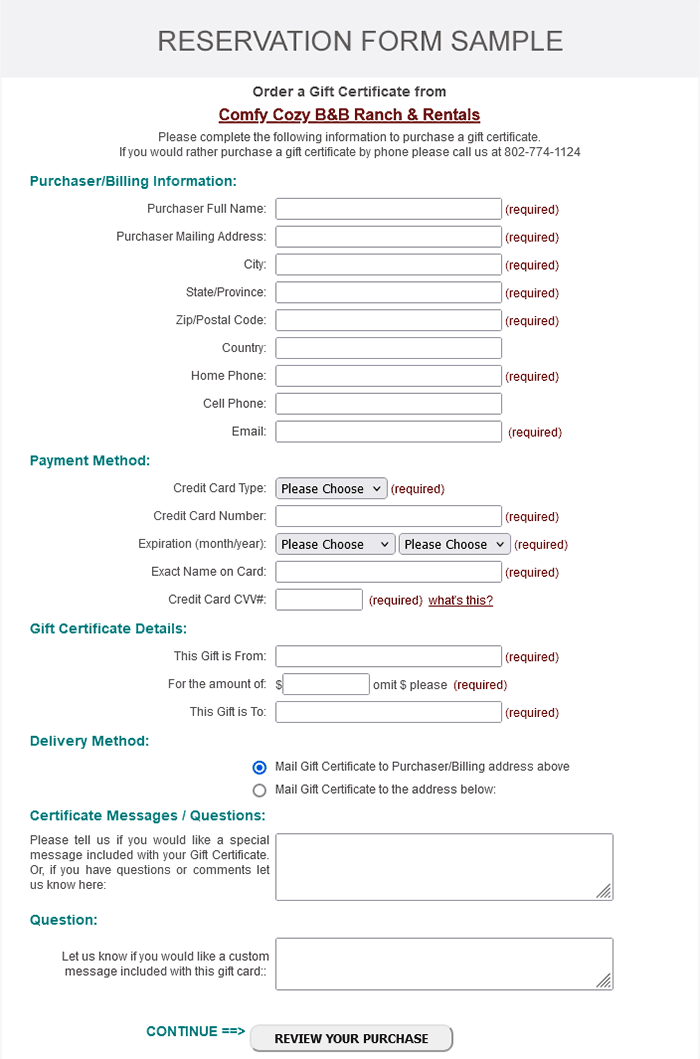 Place a secure Gift Certificate Order form on your website allowing guests to purchase gift certificates from you online.
Colors & visual settings of this form can be customized to match your website.
Special Events Display
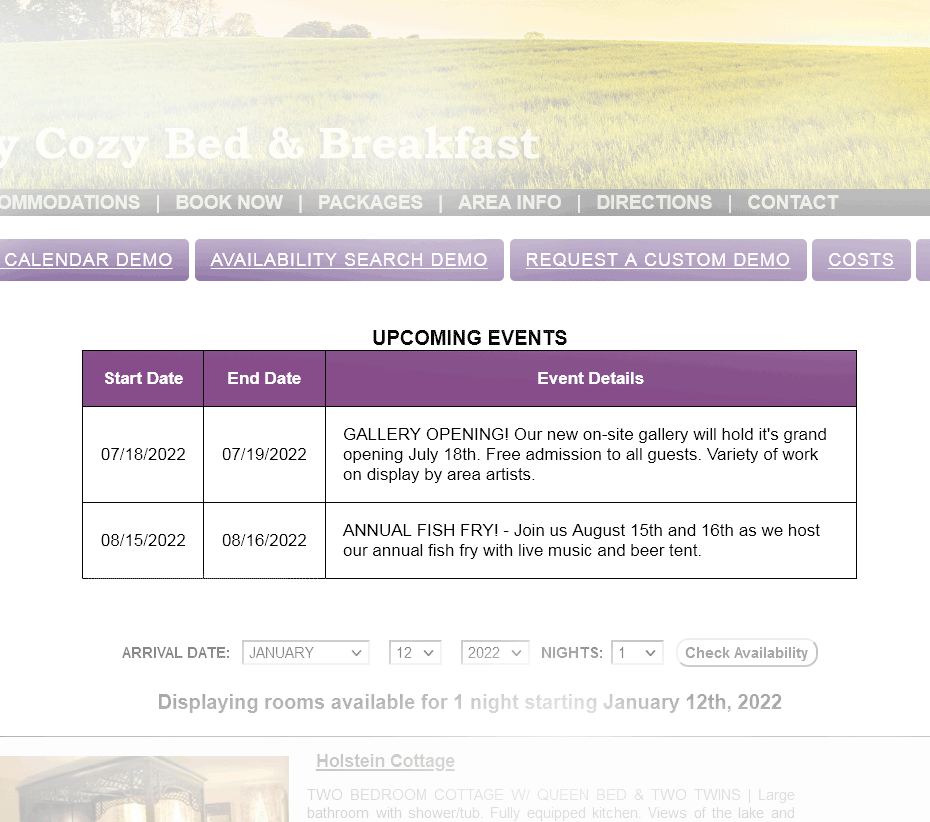 Special Events or notices can be shown on your availability display page. Choose to show these events at all times, or only when certain dates are searched.
Events Display can be utilized within your calendar several different ways. Many use this feature to display special events in the area, announce special seasonal offers or lodging packages.
Google AdWords Pay Per Click Tracking
 Availability Online can work with your Google AdWords campaign tracking so you know how many online reservations are derived from your advertising.
 *Availability Online does not offer Google Pay Per Click or Google Analytics setup support. Affordable conversion tracking setup packages are available with our partner Pinnacle Marketing.
Google Analytics (GA4) Tracking
 The Availability Online Booking Engine offers full Google Analytics (GA4) E-commerce tracking capabilities.
*Availability Online does not provide Google Pay Per Click or Google Analytics setup support.
Affordable conversion tracking setup packages are available with our partner Pinnacle Marketing.
The Availability Online Booking Engine offers full Google Analytics (GA4) E-commerce tracking capabilities.
*Availability Online does not provide Google Pay Per Click or Google Analytics setup support.
Affordable conversion tracking setup packages are available with our partner Pinnacle Marketing. Google Hotel Direct Booking Link
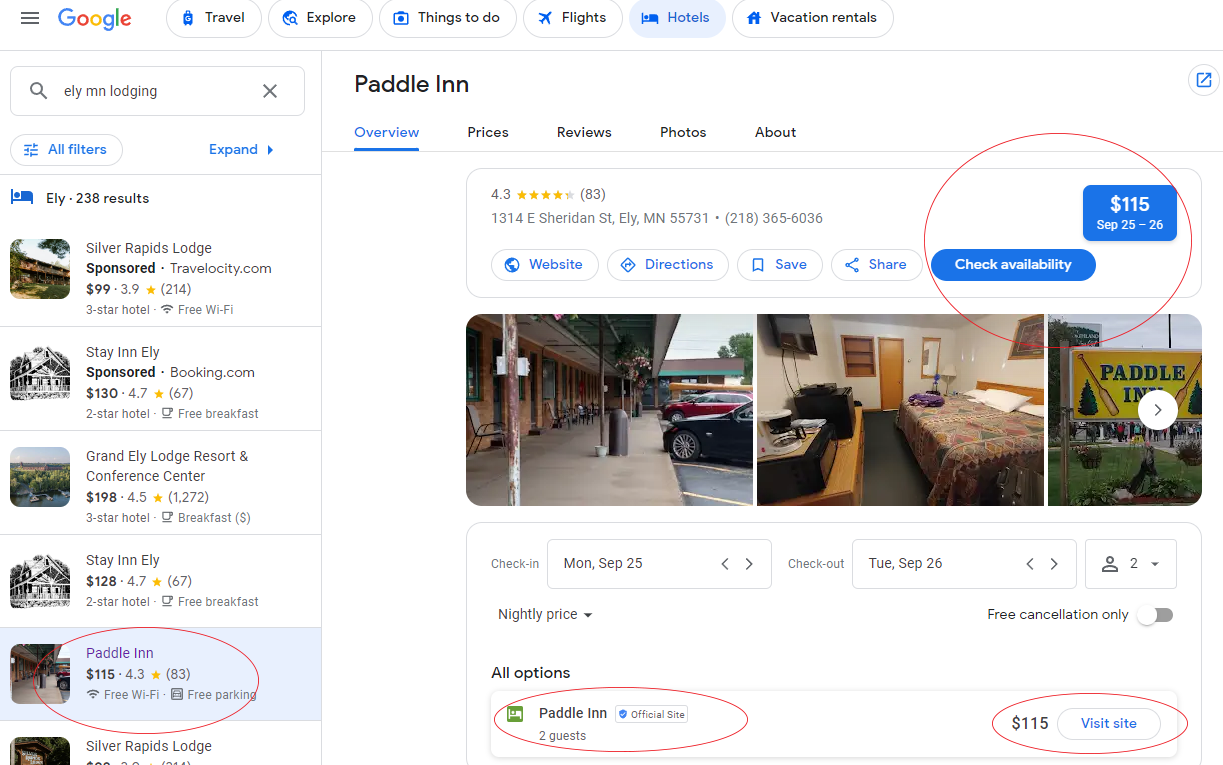
Add your Availability Online Booking Engine into your Google Business Profile to be found in Google Hotel search results. You can track how many Google Hotel listing clicks were made to your Availability Online Booking Engine from your AO Administration Center. To setup add your rates, availability info and Availability Online booking engine link into your Google Business Profile.
TripAdvisor/Trip Connect Interface
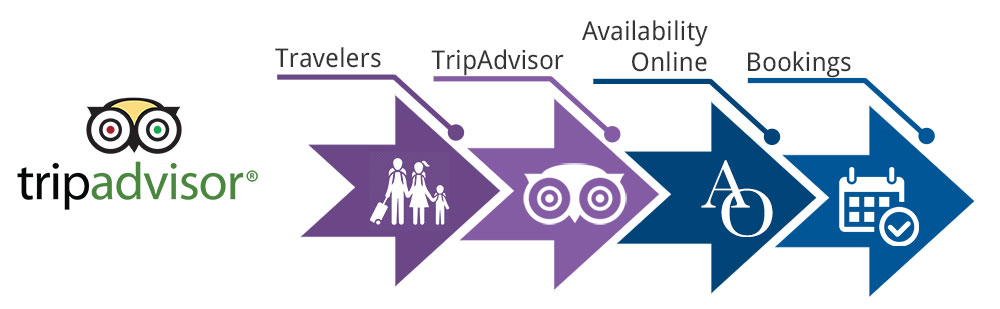 Link your Availability Online booking engine directly to your TripAdvisor listing. This is a great way to give you direct, commission-free bookings!
TripConnect gives you the opportunity to generate new business by bringing visitors who are ready to book directly to your Availability Online Booking Engine.
iCal Export Feed to AirBnB, VRBO, etc.
 Export availability information from Availability Online to 3rd party websites such as AirBnB, VRBO, FlipKey, Google Calendar, Yahoo! Calendar and more.
This feature could save you time as you will only need to maintain availability in one location.
Your Availability Online iCal Feed will work with sites who accept .ics/iCal formats.
Export availability information from Availability Online to 3rd party websites such as AirBnB, VRBO, FlipKey, Google Calendar, Yahoo! Calendar and more.
This feature could save you time as you will only need to maintain availability in one location.
Your Availability Online iCal Feed will work with sites who accept .ics/iCal formats. ADMINISTRATIVE TOOLS BASIC PREMIUM
Easy to use Administration Center
Login to your Availability Online Booking Engine Administration Center to make the account changes you need or check on new reservation 24/7. Update rates, minimum night stay requirements, unit listings, fees, taxes........
Simple Point & Click Calendar Updating
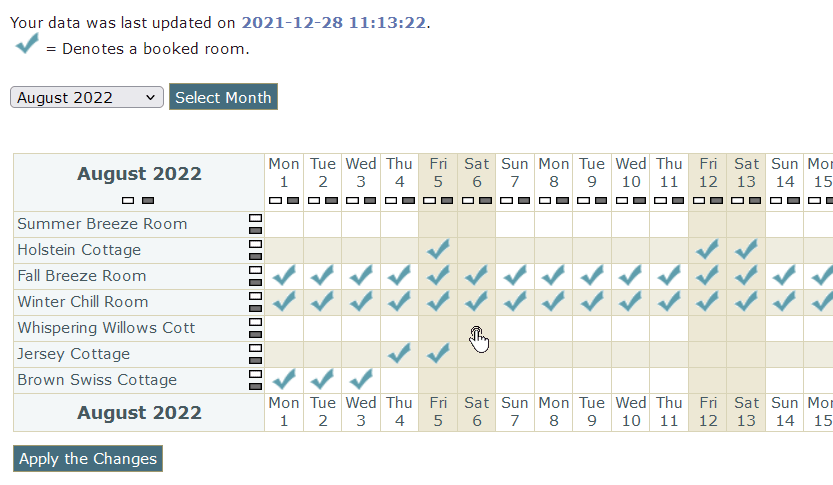 Availability Online is designed to accommodate small to mid-sized properties with our easy point & click manual update feature. Don't worry if you use paper charts. You can set your manual update section to match it so it will be easy to update right off of your chart. Have a larger property? We recommend Auto Updating with an interfacing PMS Software.
Adjust Occupancy Settings
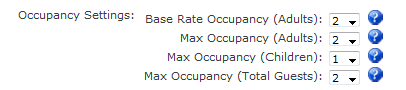 Set specific maximum occupancy settings for each unit in your account for. Guests will know exactly how many guests, adults and/or children are allowed in each unit.
Flexible Minimum Night Stay Options
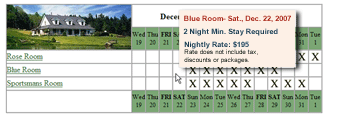 Display your minimum night stay requirements on your availability calendar so your guests have all the information they need to make their reservation.
Adding your min. night stay requirements to your account can prevent guests from booking a room that does not meet your requirements. Instead of preventing guests from booking, you could also choose to just Warn your guests that they have not met your requirement, or add a fee to a reservation not meeting the requirement. The choice is yours!
Easy Interface to Make Reservation Form Edits
Easy Interface to Make Unit Information Edits
Credit Card Processing ** COMING SOON IN 2025 **
Seamlessly process your guest's credit card payments directly from your Availability Online Administration Center. Coming the first quarter of 2025.
Property Management Solutions
 Availability Online is an award-winning, stand alone booking engine. But, if you need a more robust solution, our premium level of service includes full property management features by
connecting to your choice of several Property Management Software (PMS) systems. This feature will allow you to manage check-ins, housekeeping, invoices, personal guest information, view occupancy reports and so much more.
Availability Online is an award-winning, stand alone booking engine. But, if you need a more robust solution, our premium level of service includes full property management features by
connecting to your choice of several Property Management Software (PMS) systems. This feature will allow you to manage check-ins, housekeeping, invoices, personal guest information, view occupancy reports and so much more. Automatic Vacancy Updating
Updating your availability calendar can be made less time consuming with automatic uploads from one of our property management software systems.
With a click of a button your entire property's availability can update your availability calendar. Automatic Reservation Downloads
Automatically download reservations using one of the property Management Software systems interfaceing with your Availability Online Booking Engine.
SUPPORT SERVICES BASIC PREMIUM
Free Booking Engine Setup
When you sign up for Availability Online we will set up and customize your account at no extra charge.
Free Phone and Email Support
Free, unlimited e-mail and phone support from our friendly & helpful technical support staff. When you sign up for Availability Online we will set up and customize your account at no extra charge.
Free Booking Engine Updates
You're busy! We get it. If using our Premium service contact us to update information found
in your booking engine such as rates, min. stay requirements, update photos, etc.
Discounted Website Design Services
Our partner designer, OnnaWebDesign.com, offers Availability Online Booking Engine users a discount on new design costs.
Professionally designed and affordable WordPress sites that are fully responsive and customized to meet your needs. Design Samples/Get Quote
Sign Up Now! Contact Us with Questions